10,000 listings.
Your shortlist.
The desktop tool for the deciding phase of house hunting: sieve, compare, shortlist. It works inside Rightmove and OnTheMarket, filtering by what actually matters to you, flagging price drops and relistings, and remembering every home you've already judged.
How far from the people and places that matter?
Save up to three destinations, like work, family or the school run, and every listing measures itself against your life.
One-click directions
Every result card and property page gets a button per saved place. Click it and Google Maps opens with the house as the start point and your destination filled in, so journey time is the first thing you see.
Drive times on the card
Add a free OpenRouteService key in Settings and real road-route times appear right in the buttons. Each time is computed once and remembered forever: a house that reappears in another search never asks again.
Too far? Filtered out.
Give any journey a maximum, say 30 minutes to Mum's and 45 to work, and anything over the limit is ruled out like any other deal-breaker, counted in the hidden total with the reason on hover.
The portals show you everything.
We remember your preferences.
Everything runs in your browser, on the portal pages you already use.
Relist detection
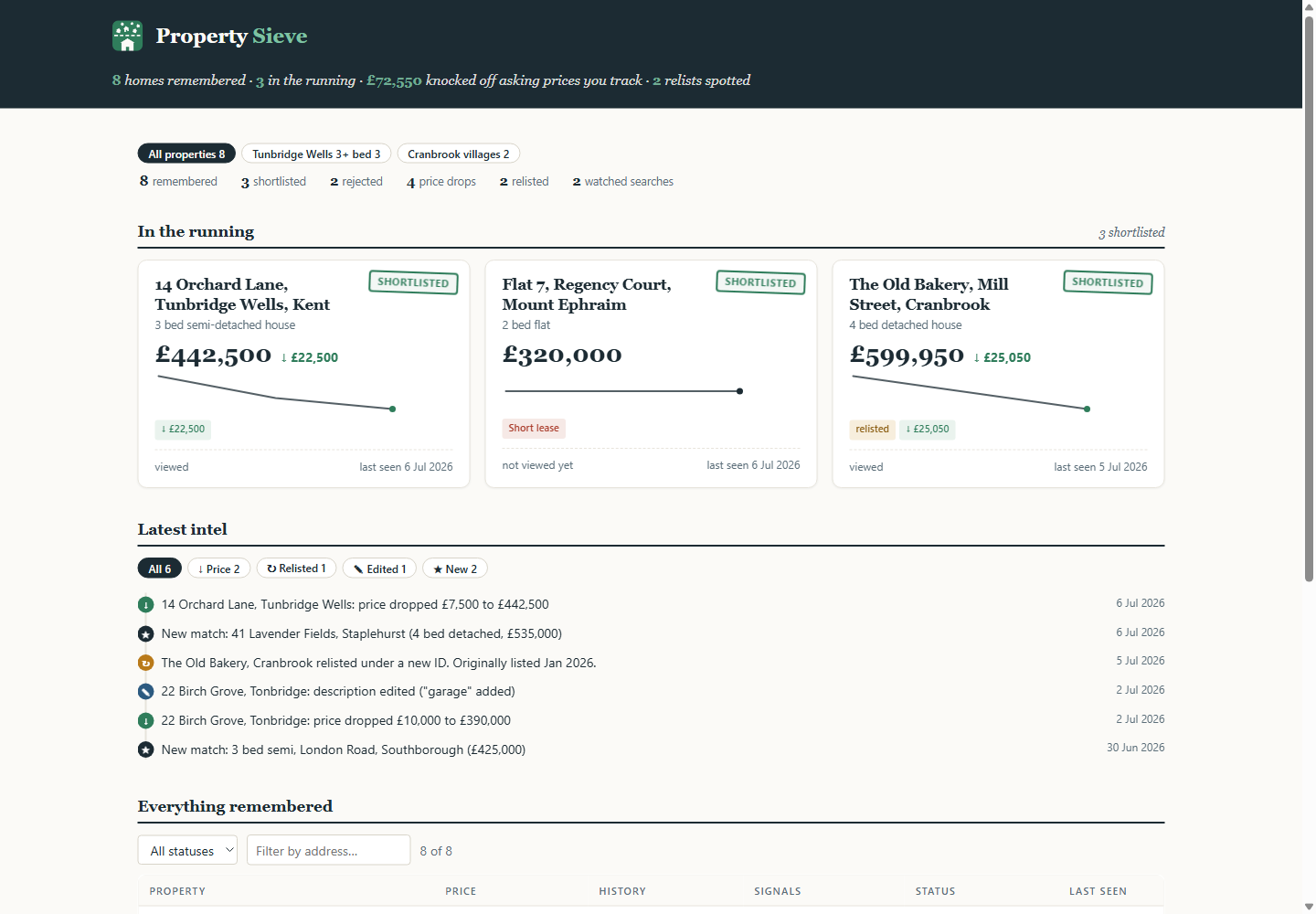
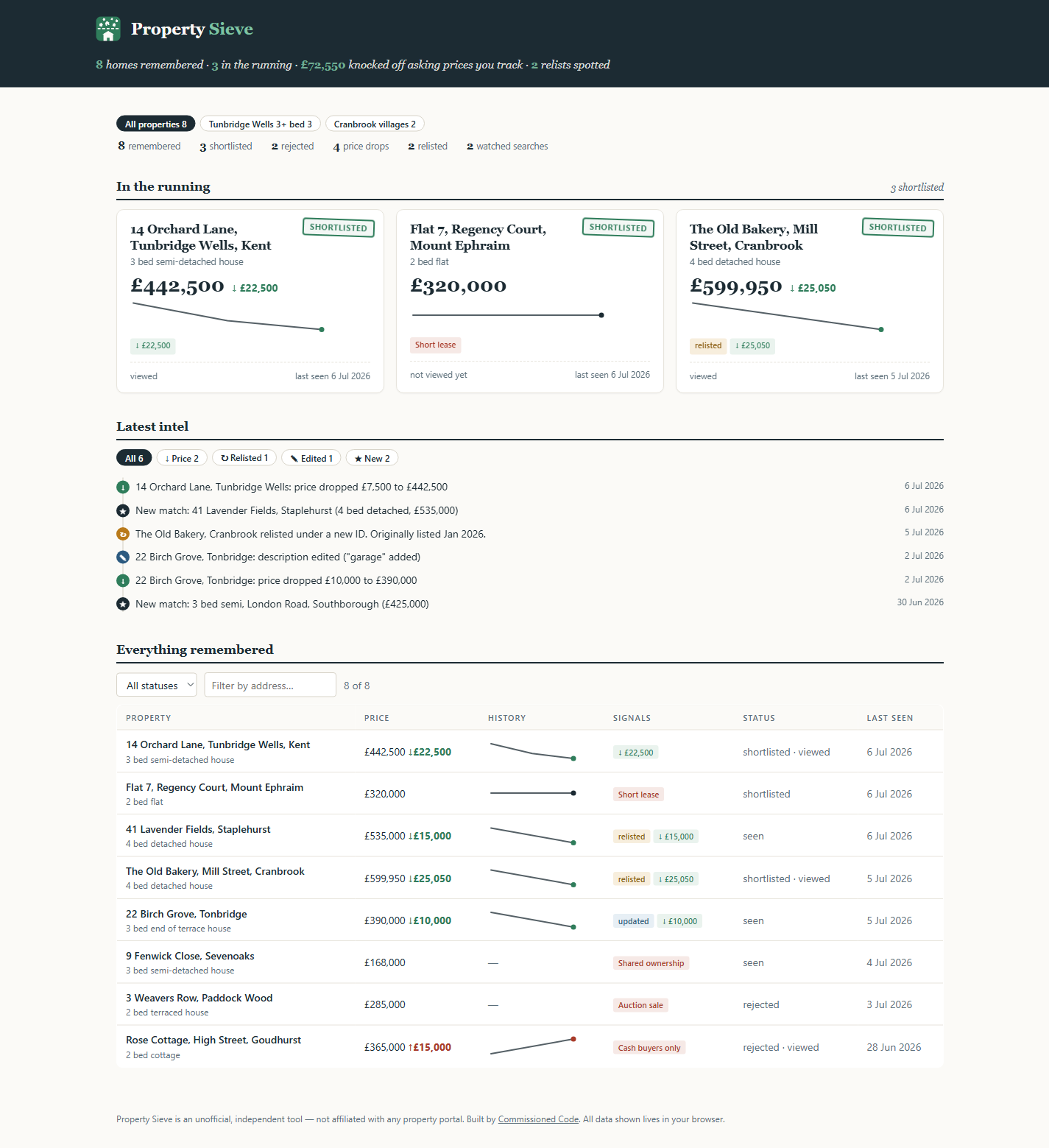
Same address, new listing ID? The card gets stamped as relisted with the date it actually first hit the market. The most useful fact in a negotiation, and the one the portal no longer shows.
Verdicts, not sorting
Every listing gets stamped MATCH, RULED OUT or SHORTLISTED based on your required terms, deal-breakers and weighted nice-to-haves. AND/OR keyword logic the portals don't offer.
The whole search, one page
Scans every results page in the background and shows the true match count, with matches from page 12 pulled up to where you can see them.
Price history & drops
Every price seen is remembered per property. Drops get flagged on the card, in the feed, and with sparklines on your dashboard.
Red flags, spotted early
A fixed checklist of known traps: short leases, auctions, shared ownership, cash-only, escalating ground rent, knotweed and more. If the listing text mentions it, the card gets flagged before you fall in love.
Watched searches & intel
Opt-in background checks every 30 minutes. New matches, price moves and listing edits land in one feed with a badge on the toolbar. No tabs, no emails.
Your search stays yours.
Your rules, shortlist and notes live in your own browser, ready the moment you open Rightmove, with nothing to sign up for. House facts (sold prices, energy certificates, flood and planning) come from public records, looked up for you without knowing who you are. Back it all up to a file whenever you like; it's yours.
Install in about a minute
PropertySieve is a private tool, installed directly. It is deliberately not on the Chrome Web Store. Works on Windows, Mac and Linux, in Chrome or any Chromium browser (Edge, Brave, Arc).
Questions you should ask
Is this… allowed?
PropertySieve is an independent, unofficial tool for personal use. It annotates pages you're already browsing and is deliberately polite: spaced requests, early-stop scanning, opt-in background checks. It is not affiliated with or endorsed by any property portal.
Which portals does it work on?
Rightmove and OnTheMarket today. The architecture treats portals as plug-in adapters, so others can follow.
Where does my data go?
Your shortlist, rules and notes stay in Chrome on your machine. To show house facts, the extension asks our server about a listing (its postcode, address and portal id, never anything about you), and price sightings are shared anonymously unless you switch that off. No accounts, no analytics. The full detail.
Do alerts work with Chrome closed?
Checks run while Chrome is open (even minimised, no tabs needed). If Chrome was closed, the next check catches up; new listings are detected by ID, not by timing.
How do updates work?
Download the new zip, replace the folder contents, hit reload on chrome://extensions. Your data and settings survive updates because they live in the browser, not the folder.
Why is it free?
It's a studio product, built by Commissioned Code to show what a focused tool can do. If you'd like something like this for your own workflow, that's the part that isn't free.